

Introduction
Every Android app that feels intelligent and personal is powered by data. Whether it is a fitness tracker saving your steps, a shopping app remembering your cart, or a learning app storing your progress, data storage is what makes the experience continuous. Without it, every app would forget everything the moment it closes.
In professional Android development, data storage is designed carefully because it directly affects speed, security, and user trust. At CuriosityTech, where developers are trained to build real-world Android systems, data handling is treated as a core engineering skill rather than just a feature.
Day 8 focuses on understanding how Android stores information using SharedPreferences, SQLite, and Room, and how these tools are combined to build reliable apps.
Understanding the three storage systems
SharedPreferences is used for small pieces of data such as user settings, login status, theme choices, or language preferences. It is lightweight and fast, making it perfect for configuration-style information.
SQLite is a powerful local database built into Android. It is used when apps need to store structured data like lists, messages, or transaction history. This allows apps to work even when there is no internet connection.
Room is a modern abstraction layer over SQLite. It makes database management easier, safer, and more organized. Room enforces structure and reduces the risk of errors, which is why professional Android apps almost always use it.
CuriosityTech teaches all three because modern Android apps rarely rely on just one storage method.
Table of storage roles
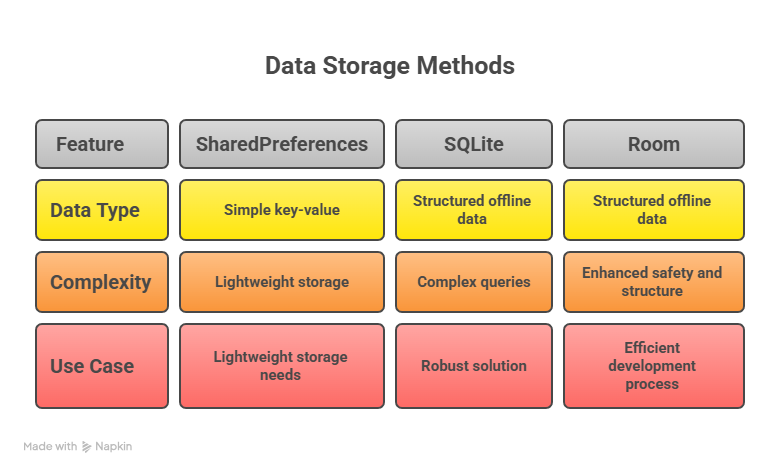
Together, they create a complete data storage solution.
How data flows inside an Android app
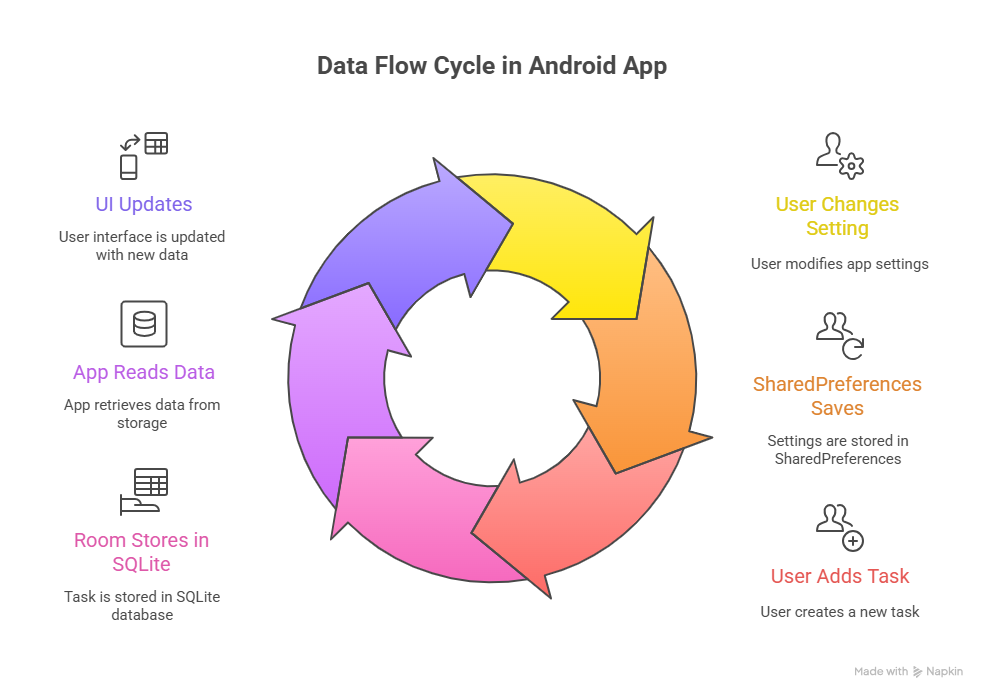
This flow ensures that data is always available and consistent.
Hierarchical view of Android data storage
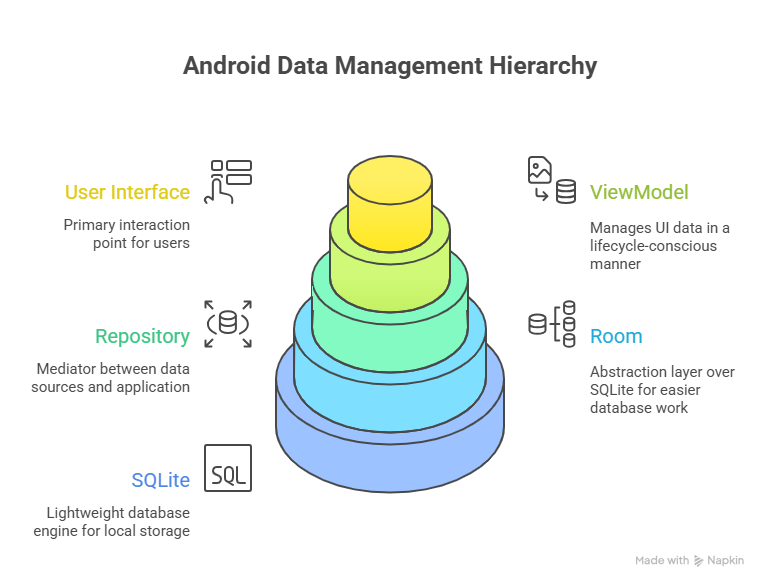
This structure keeps data organized and prevents corruption.
Infographic description
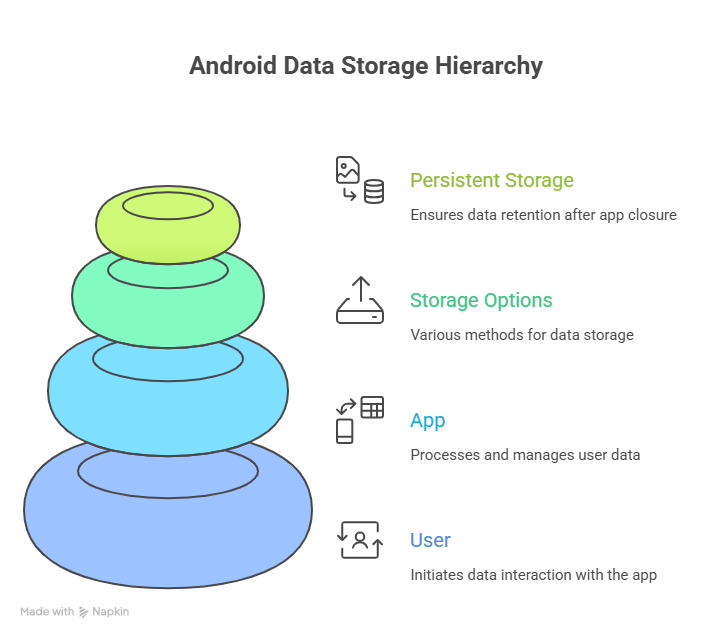
This explains how information is saved and retrieved.
How developers become experts in data handling
Professional Android developers learn how to design database schemas, optimize queries, and protect sensitive information. They also learn how to migrate data safely when apps are updated.
At CuriosityTech, students work with real Android projects where they store, update, and manage user data just like production apps.
Conclusion
Data storage is the memory of an Android app. By mastering SharedPreferences, SQLite, and Room, developers ensure their apps remain fast, reliable, and trustworthy.
Day 8 gives Android developers the power to make apps that truly remember their users.