
Introduction
Modern iOS applications are no longer limited to text and buttons. They capture photos, record videos, scan documents, and upload media to the cloud. From social media to fitness apps, media handling is one of the most powerful capabilities of iOS.
Understanding how iOS manages the camera, photo library, and media permissions is essential for building professional apps. This is why CuriosityTech integrates media handling deeply into its iOS development training through curiositytech.in.
Day 16 focuses on how iOS apps interact with the real world through images, videos, and device hardware.
How iOS manages media
Apple treats user media as private and secure. Every app must request permission before accessing the camera or photo library. This builds user trust and keeps personal data protected.
Once permission is granted, apps can capture images, select files, and process media efficiently.
Types of media access
Camera for real-time photo and video capture
Photo library for existing images and videos
File system for documents and downloads
Microphone for audio recording
Each of these has specific rules and usage patterns.
Table of media components
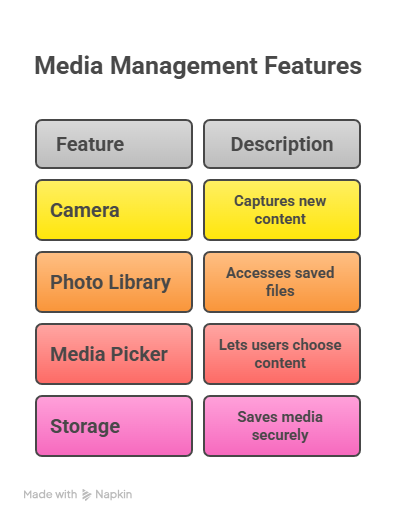
Together they form a complete media system.
How media flows in an iOS app
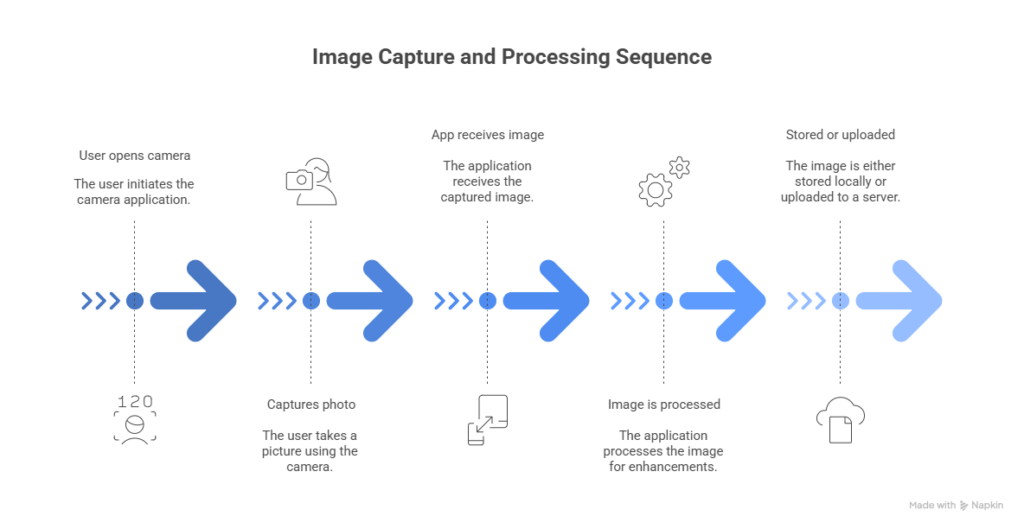
This flow powers many modern apps.
Hierarchical view of media handling
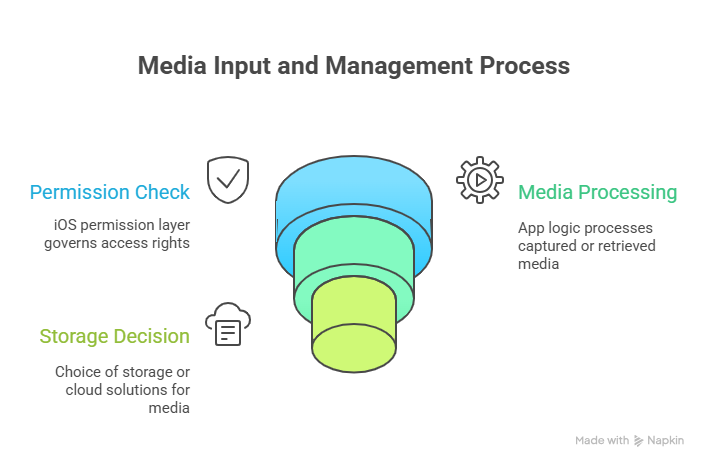
This structure keeps data secure and organized.
Infographic description
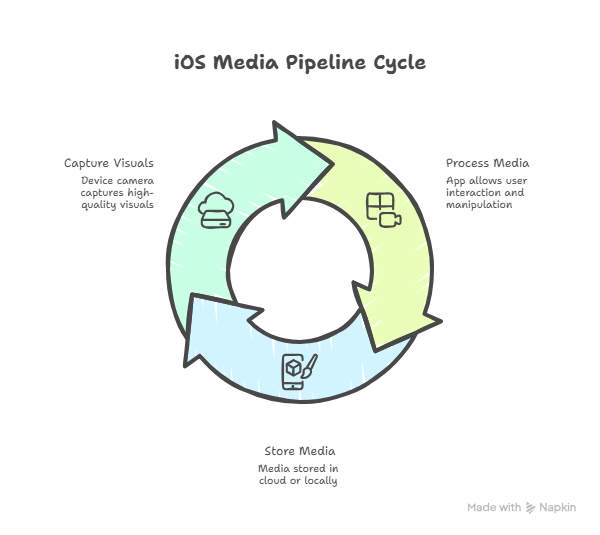
This shows how media travels inside an app.
How developers become experts in media handling
Experienced iOS developers understand image formats, compression, performance, and privacy. They optimize file sizes and ensure smooth user experience.
At CuriosityTech, students build camera-based apps and media galleries so they gain real-world skills.
Conclusion
Media access transforms simple apps into powerful digital tools. By mastering camera and photo integration, developers unlock endless possibilities for iOS applications.
Day 16 brings the physical world into iOS software.