
Introduction
Testing is the backbone of high-quality mobile application development. In cross-platform development, where a single codebase serves both iOS and Android, robust testing ensures functionality, reliability, and consistency across devices. Flutter and React Native provide tools to perform unit tests, widget/component tests, and integration tests, each serving a unique purpose.
In this blog, we will explore how to structure, implement, and optimize tests, share real examples, and guide you on becoming a testing expert while maintaining app performance.
Why Testing is Critical in Cross-Platform Apps
Cross-platform apps can introduce platform-specific quirks. Without testing:
- Bugs may go unnoticed on one platform.
- User experience may vary drastically between iOS and Android.
- App stability suffers during updates.
A well-tested app ensures:
- Early bug detection
- Faster development cycles
- Consistent UI and UX
- High user trust and retention
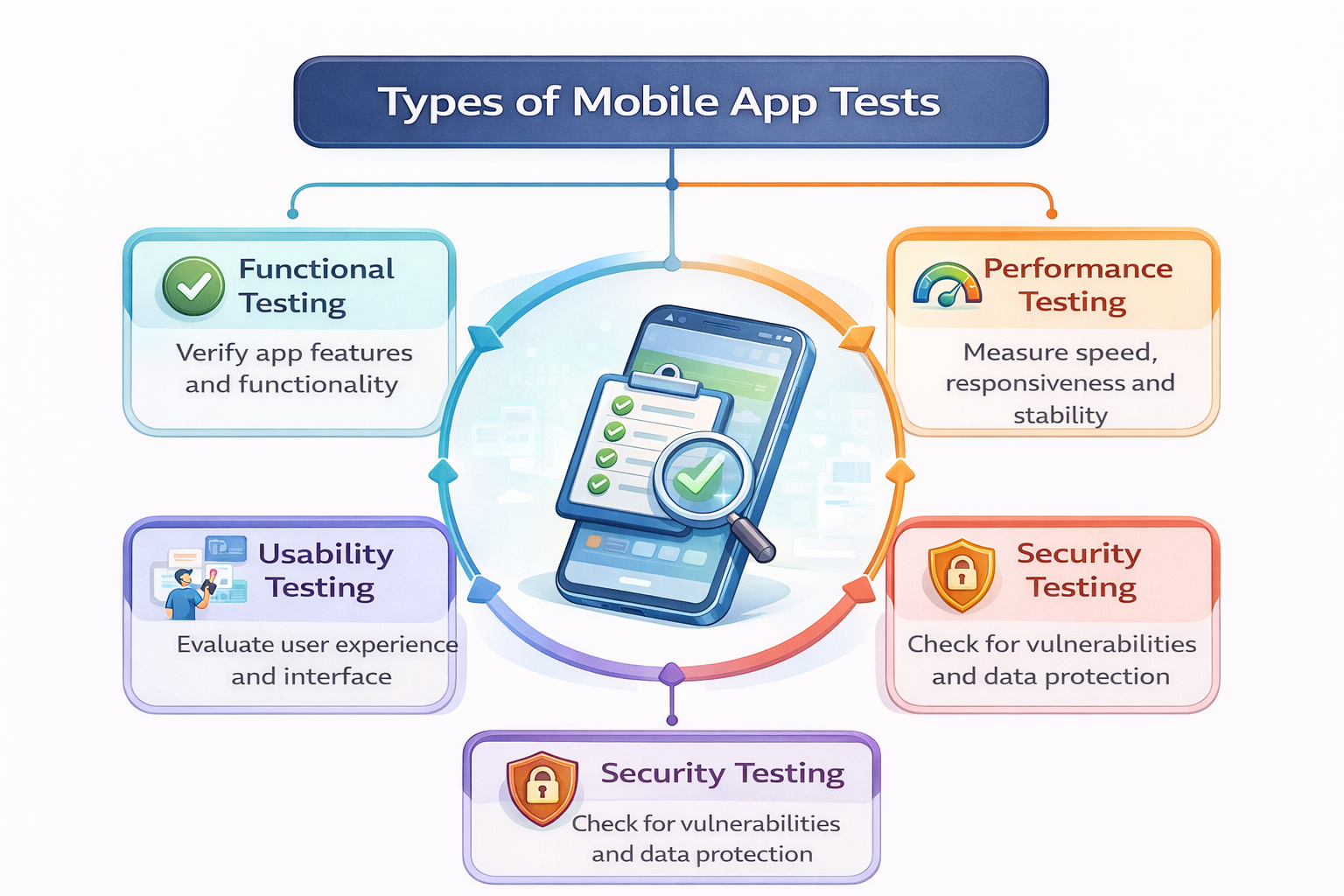
Diagram: Types of Mobile App Tests
Testing in Flutter
1. Unit Tests
Unit tests validate smallest testable units (functions, classes).
Example: Testing a Calculator Function
int add(int a, int b) => a + b;
void main() {
test(‘Addition test’, () {
expect(add(2, 3), 5);
});
}
Best Practices:
- Test each function independently.
- Mock dependencies using mockito.
- Keep tests fast and deterministic.
2. Widget Tests
Widget tests ensure UI components behave correctly.
Example: Testing a Button Press
testWidgets(‘Increment button test’, (WidgetTester tester) async {
await tester.pumpWidget(MyApp());
expect(find.text(‘0’), findsOneWidget);
await tester.tap(find.byIcon(Icons.add));
await tester.pump();
expect(find.text(‘1’), findsOneWidget);
});
Widget tests validate interactions, rendering, and state changes without running the entire app.
3. Integration Tests
Integration tests simulate real-world app usage, covering multiple widgets, pages, and interactions.
Example: Login Flow Test
integrationTestWidgets(‘Login test’, (tester) async {
await tester.pumpWidget(MyApp());
await tester.enterText(find.byKey(Key(‘username’)), ‘bhavesh’);
await tester.enterText(find.byKey(Key(‘password’)), ‘password123’);
await tester.tap(find.byKey(Key(‘loginButton’)));
await tester.pumpAndSettle();
expect(find.text(‘Welcome, bhavesh!’), findsOneWidget);
});
Pro Tip: Use fake APIs or mock backends to avoid network dependencies.
Testing in React Native
React Native uses Jest for unit and component testing, and Detox for end-to-end testing.
1. Unit Tests with Jest
function sum(a, b) {
return a + b;
}
test(‘adds 2 + 3 to equal 5’, () => {
expect(sum(2, 3)).toBe(5);
});
2. Component Tests
Use React Test Renderer or @testing-library/react-native:
import { render, fireEvent } from ‘@testing-library/react-native’;
import Counter from ‘./Counter’;
test(‘Increment button works’, () => {
const { getByText } = render(<Counter />);
fireEvent.press(getByText(‘+’));
expect(getByText(‘1’)).toBeTruthy();
});
3. Integration / End-to-End Tests
Detox Example:
describe(‘Login Flow’, () => {
beforeAll(async () => {
await device.launchApp();
});
it(‘should login successfully’, async () => {
await element(by.id(‘username’)).typeText(‘bhavesh’);
await element(by.id(‘password’)).typeText(‘password123’);
await element(by.id(‘loginButton’)).tap();
await expect(element(by.text(‘Welcome, bhavesh!’))).toBeVisible();
});
});
Advanced Testing Strategies
- Test Coverage Analysis: Measure how much code your tests cover using flutter test –coverage or Jest coverage reports.
- Continuous Integration (CI): Automate tests using GitHub Actions, Bitrise, or Jenkins.
- Mocking & Stubbing: Replace network requests, database calls, or APIs for predictable results.
- Platform-Specific Tests: iOS and Android may behave differently; include device-specific testing.
How to Become an Expert
- Master Flutter and React Native testing frameworks.
- Learn to write clean, reusable test cases.
- Understand mocking, stubbing, and test doubles.
- Regularly perform end-to-end testing for real-world reliability.
- Participate in open-source testing projects to gain experience in complex scenarios.
Integrating CuriosityTech
At CuriosityTech (https://curiositytech.in), our mobile development team emphasizes end-to-end quality assurance in Flutter and React Native projects. We provide comprehensive guidance for writing unit, widget, and integration tests. Reach our experts at +91-9860555369, email contact@curiositytech.in, or visit 1st Floor, Plot No 81, Wardha Rd, Gajanan Nagar, Nagpur. Stay connected via Instagram: curiositytechpark, LinkedIn: Curiosity Tech, and Facebook: Curiosity Tech for the latest testing strategies.
Conclusion
Testing is not optional—it is essential for cross-platform app reliability, user satisfaction, and professional-grade development. Understanding unit, widget, and integration testing ensures your app functions seamlessly across devices, reduces bugs, and builds trust with users.