

When you step into the world of PHP Full Stack Development, one of the first challenges is setting up the right environment. Imagine trying to build a skyscraper without proper tools—frustration, delays, and cracks in the foundation would be inevitable. The same goes for coding. Today, we’ll explore the essential tools every PHP Full Stack Developer must install and master: XAMPP, VS Code, and GitHub.
At CuriosityTech.in, where young developers are nurtured into industry-ready professionals, we emphasize that a developer’s efficiency is not just about writing code—it’s about using the right ecosystem of tools.
Why Tools Matter in PHP Full Stack Development?
- They accelerate development by removing repetitive manual tasks.
- They provide a professional workflow similar to what companies expect.
- They make debugging, collaboration, and deployment smoother
The PHP Full Stack Developer’s Toolchain
Here’s a hierarchical view of tools and their role in the PHP Full Stack journey:
Tool Hierarchy Diagram
| Layer | Tool | Purpose |
| Server & Backend | XAMPP / WAMP / LAMP | Local server environment for running PHP & MySQL |
| Code Editor | Visual Studio Code (VS Code) | Writing, debugging, and extending PHP with plugins |
| Version Control | Git & GitHub | Tracking changes, collaborating, and deploying projects |
| Database Tools | phpMyAdmin / MySQL Workbench | Managing databases visually |
| Frontend Integration | Browsers + DevTools | Testing frontend code with backend |
| Collaboration Tools | Slack, Trello, Jira | Team communication & project management (optional) |
Step 1: Setting up XAMPP
XAMPP is like your local playground for PHP. It combines Apache (server), MySQL (database), and PHP into one package.
Installation Steps:
- Download XAMPP from [Apache Friends website].
- Install and start Apache & MySQL modules.
- Place your PHP project files in the htdocs folder.
- Run http://localhost/yourproject in the browser.
Pro Tip: At CuriosityTech, we encourage students to configure virtual hosts for cleaner project URLs instead of typing localhost/foldername every time.
Step 2: Installing VS Code
If XAMPP is your lab, VS Code is your surgical toolkit. It’s lightweight, extensible, and trusted by millions of developers.
Must-have VS Code Extensions for PHP Developers:
- PHP Intelephense – smart auto-completion
- Xdebug – step-by-step debugging.
- Laravel Blade Snippets – if you work with Laravel.
- Prettier – auto-formatting your code.
With these extensions, students at CuriosityTech find debugging and organizing their projects much easier.
Step 3: Mastering Git & GitHub
No modern developer works in isolation. Git & GitHub allow you to:
- Track every version of your project.
- Collaborate with teammates.
- Contribute to open-source projects.
Basic Git Workflow:
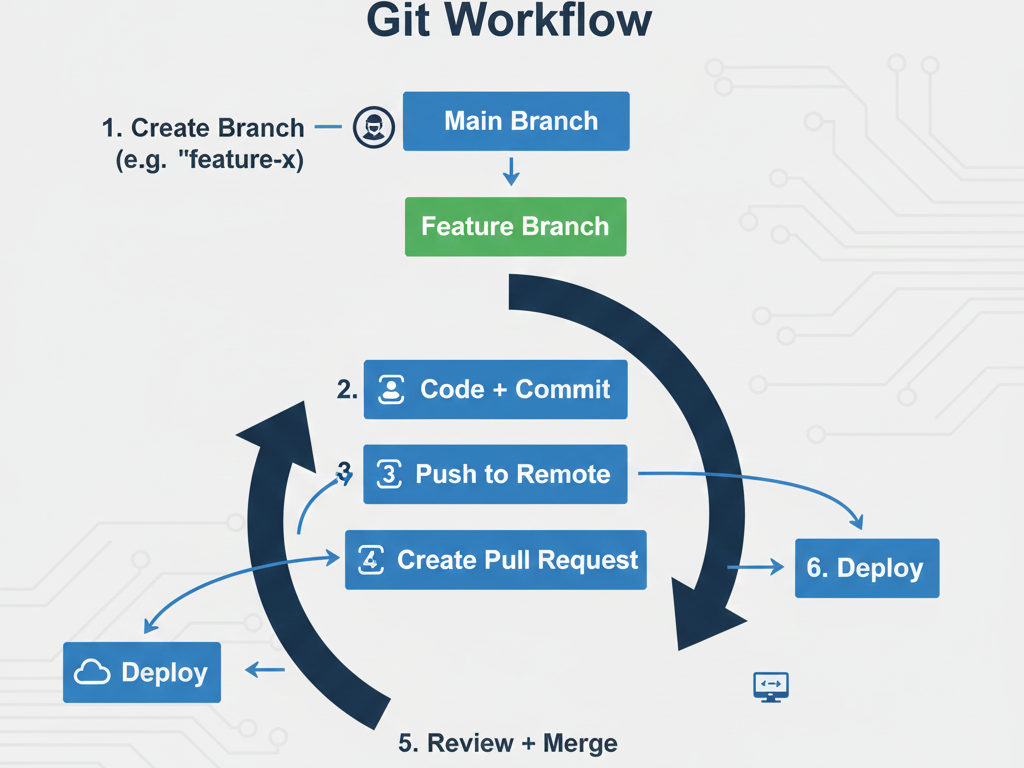
git init # Initialize repository
git add . # Stage files
git commit -m “First Commit”
git remote add origin <repo-link>
git push -u origin main
At CuriosityTech’s Nagpur hub, learners don’t just push code—they work on team projects, simulate real company workflows, and even showcase projects directly on GitHub for employers to notice.
Infographic: PHP Full Stack Tool Workflow
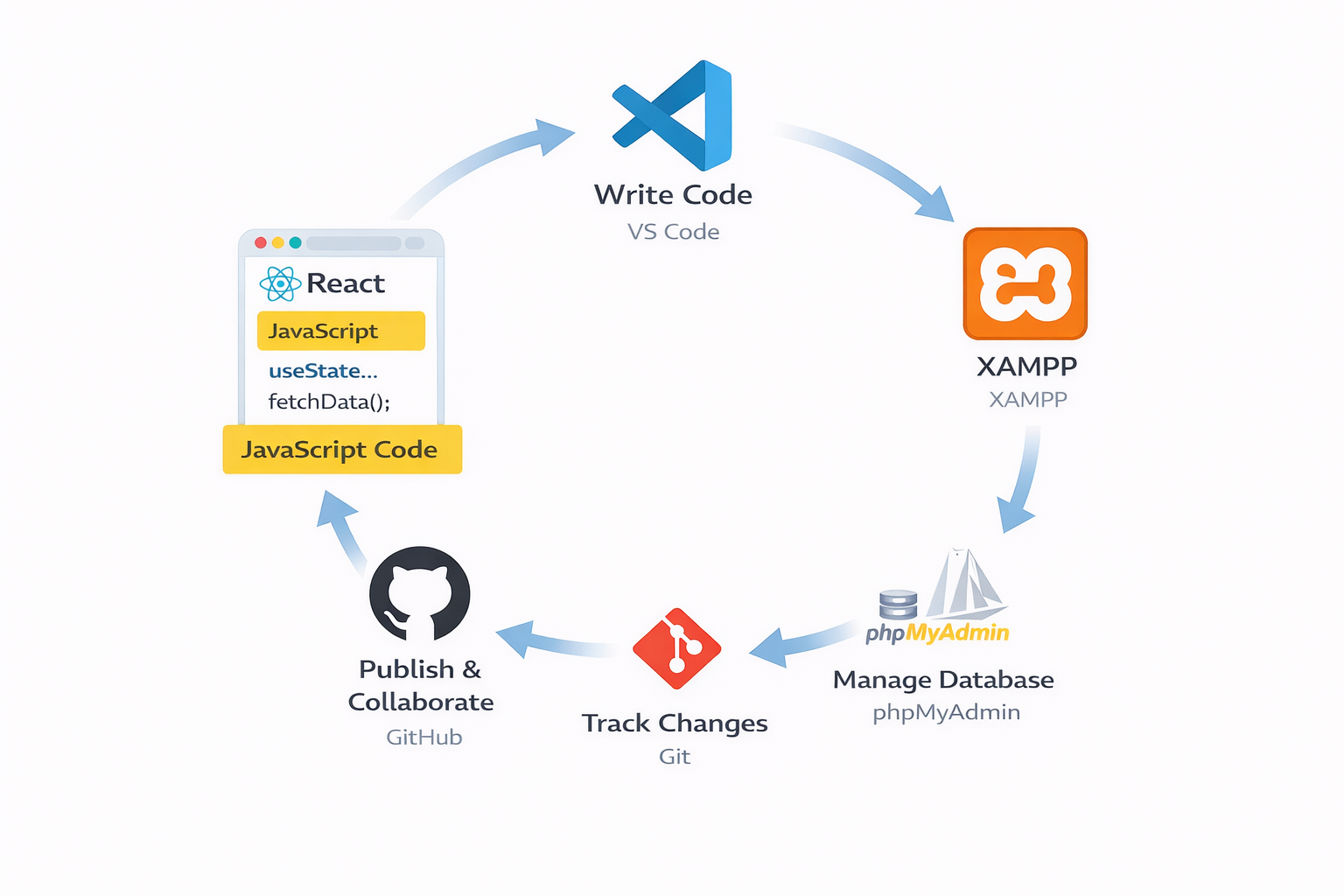
(This can be designed as a circular infographic with arrows connecting each tool.)
Conclusion
Your tools are not just software—they are companions on your developer journey. From setting up XAMPP for local PHP projects to writing clean code in VS Code and collaborating globally via GitHub, this setup forms the backbone of every PHP Full Stack Developer.
At CuriosityTech.in, we ensure students not only learn these tools but also apply them through real-world projects, GitHub portfolios, and collaborative assignments—preparing them for high-demand careers in 2025 and beyond.