
In the modern DevOps landscape, Docker has emerged as the cornerstone of containerization technology, empowering developers and operations teams to build, ship, and run applications consistently across environments. At Curiosity Tech, we emphasize learning Docker not only as a tool but as a philosophy that enhances software agility and scalability.
What is Docker?
Docker is a platform that automates the deployment of applications inside lightweight, portable containers. Unlike traditional virtual machines (VMs), Docker containers share the host OS kernel but isolate applications, enabling efficiency and scalability.
Why Docker matters in DevOps:
- Consistency: Applications run the same way in development, staging, and production.
- Efficiency: Containers consume fewer resources than VMs.
- Portability: Docker images can run on any system that supports Docker.
- Scalability: Containers integrate seamlessly with orchestration tools like Kubernetes.
Core Components of Docker
| Component | Description |
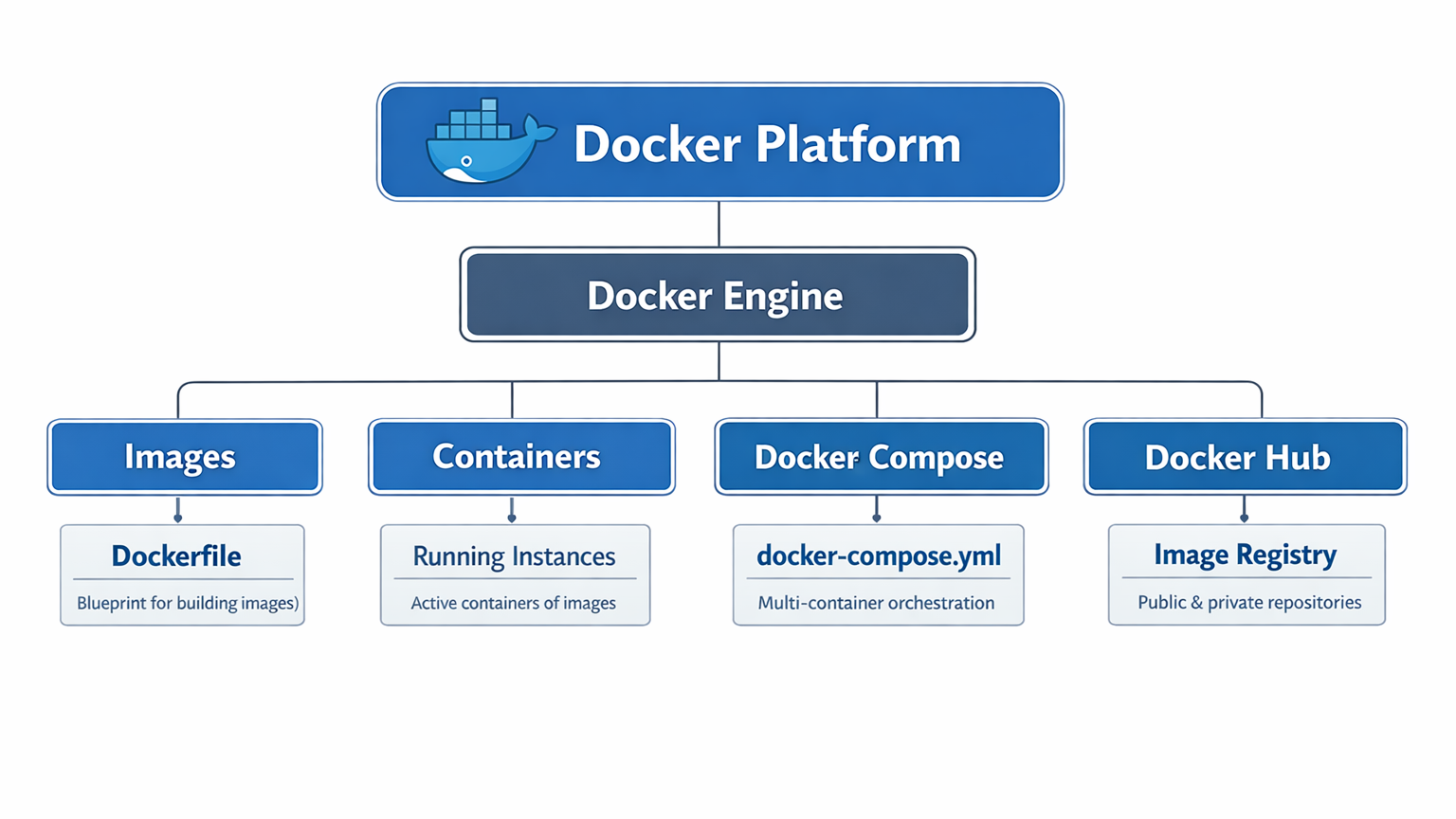
| Docker Engine | The runtime that builds and runs containers on any platform. |
| Docker Images | Immutable templates containing the application code, libraries, and dependencies. |
| Docker Containers | Running instances of Docker images, encapsulating an application environment. |
| Dockerfile | Scripted instructions to build Docker images. |
| Docker Hub | Cloud repository for storing and sharing Docker images. |
| Docker Compose | Tool to define and run multi-container applications. |
Hierarchical Diagram of Docker Components:
Docker Workflow for Beginners
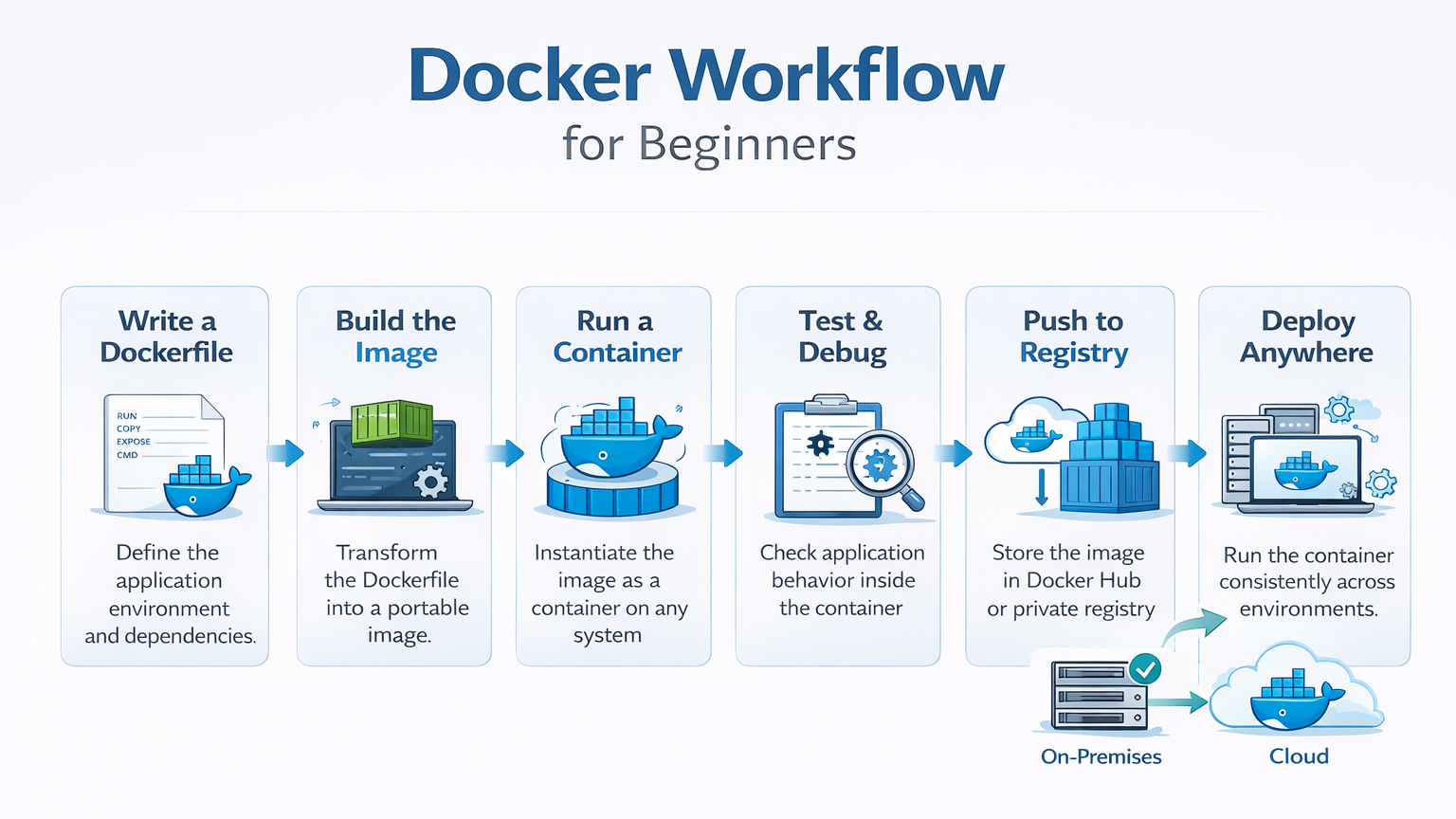
- Write a Dockerfile – Define the application environment and dependencies.
- Build the Image – Transform the Dockerfile into a portable image.
- Run a Container – Instantiate the image as a container on any system.
- Test & Debug – Check application behavior inside the container.
- Push to Registry – Store the image in Docker Hub or private registry.
- Deploy Anywhere – Run the container consistently across environments.
Key Commands Every Beginner Must Know
| Command | Purpose |
| docker build | Build an image from a Dockerfile. |
| docker run | Launch a container from an image. |
| docker ps | List running containers. |
| docker stop | Stop a running container. |
| docker pull | Download an image from Docker Hub. |
| docker push | Upload an image to Docker Hub. |
| docker-compose up | Start multi-container applications. |
At CuriosityTech.in, we recommend beginners practice by containerizing a simple web application—like a Node.js or Python Flask app—to grasp concepts hands-on.
Practical Example: Containerizing a Simple Web App
Scenario: You have a Python Flask app that you want to run in a container.
Dockerfile:
- Base image :-
- FROM python:3.11-slim
- Set working directory :-
- WORKDIR /app
- Copy application files :-
- COPY . /app
- Install dependencies :-
- RUN pip install -r requirements.txt
- Expose port :-
- EXPOSE 5000
- Command to run ;-
- CMD [“python”, “app.py”]
Steps:
- Build the image: docker build -t flask-app .
- Run the container: docker run -p 5000:5000 flask-app
- Access the application via:- http://localhost:5000
This simple exercise teaches how Docker ensures consistency across environments, a key principle in DevOps.
Best Practices to Become Docker-Proficient
- Start Small – Containerize small apps first, then move to microservices.
- Understand Layers – Docker images are layered; minimize image size for efficiency.
- Use Multi-Stage Builds – Separate build and runtime environments to reduce vulnerabilities.
- Version Control Images – Use tags and semantic versioning.
- Integrate with CI/CD – Automate Docker builds and deployments using Jenkins, GitLab, or GitHub Actions.
CuriosityTech.in emphasizes practical mastery. Building a project with Docker + Jenkins + Kubernetes provides real-world insight into containerized CI/CD workflows.
Challenges in Docker & How to Overcome
| Challenge | Solution |
| Steep Learning Curve | Start with guided tutorials and hands-on labs. |
| Security Risks | Use trusted base images and scan images for vulnerabilities. |
| Networking Complexity | Learn Docker networking modes (bridge, host, overlay). |
| Data Persistence | Use Docker volumes and bind mounts for persistent storage. |
Infographic: Docker Container Lifecycle
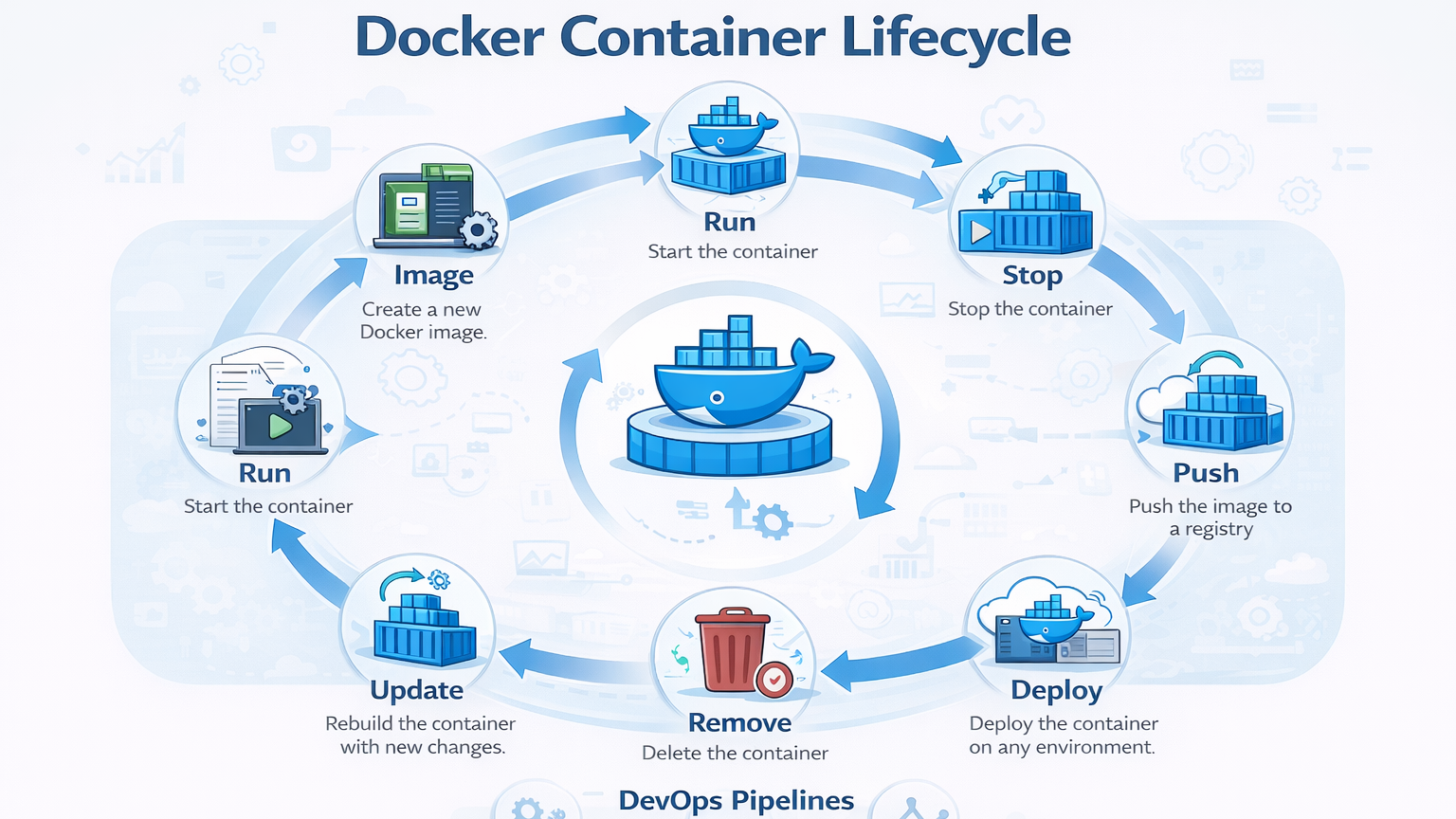
Description:- Visual showing Image → Container → Run → Stop → Remove → Update → Push → Deploy, illustrating container lifecycle management and how each stage integrates into DevOps pipelines.
Conclusion
Docker has transformed the DevOps landscape by providing portability, scalability, and reliability. Mastery requires more than understanding commands—it demands practical exposure, building real projects, and integrating Docker into pipelines and orchestration tools.
At Curiosity Tech, we guide learners to containerize applications, build pipelines, and understand orchestration, creating a strong foundation for modern DevOps expertise. Through hands-on practice and structured learning, beginners can evolve into professionals capable of deploying containerized applications in real-world scenarios.