Introduction
Every Android developer starts by making mistakes. That is part of learning. But the difference between someone who struggles and someone who grows into a professional is whether they understand why mistakes happen and how to avoid repeating them.
Android is a powerful but complex platform. It involves lifecycles, memory management, databases, background tasks, and user interface rules. Beginners often focus only on making things work, while professionals focus on making things work correctly and reliably.
At CuriosityTech, learners are guided through common mistakes so they can build better habits early instead of fixing bad patterns later.
Day 22 is about learning from the errors that almost every Android beginner faces.
Not understanding the activity and fragment lifecycle
Many beginners ignore the lifecycle of Android components. When screens are rotated, paused, or destroyed, data can be lost if not handled correctly. This leads to crashes and unexpected behavior.
Professional developers design their apps so state is preserved even when the system interrupts the app.
Storing everything in the UI layer
New developers often place logic and data handling directly inside activities and fragments. This makes apps hard to test, maintain, and expand.
Modern Android development separates UI from logic using ViewModels and repositories.
Ignoring performance and memory
Loading large images without optimization, keeping unnecessary objects in memory, and running heavy tasks on the main thread are common mistakes. These lead to slow apps and crashes.
Expert developers always think about memory and performance from the beginning.
Table of beginner mistakes
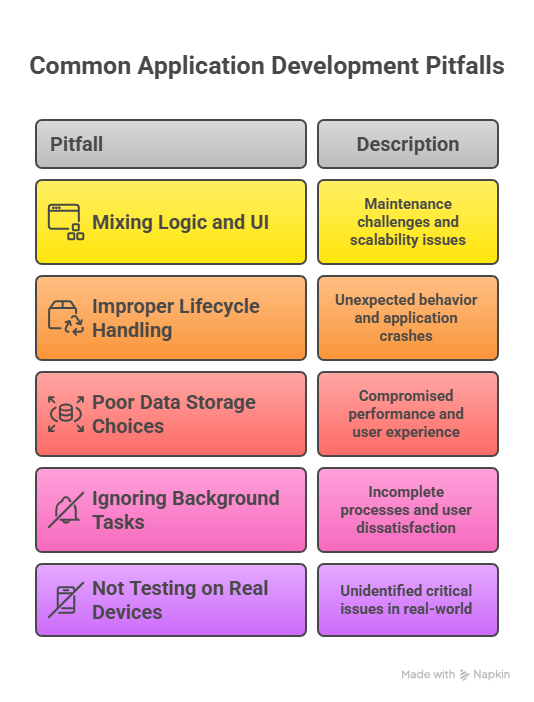
Recognizing these mistakes early saves months of frustration.
Hierarchical view of good practices
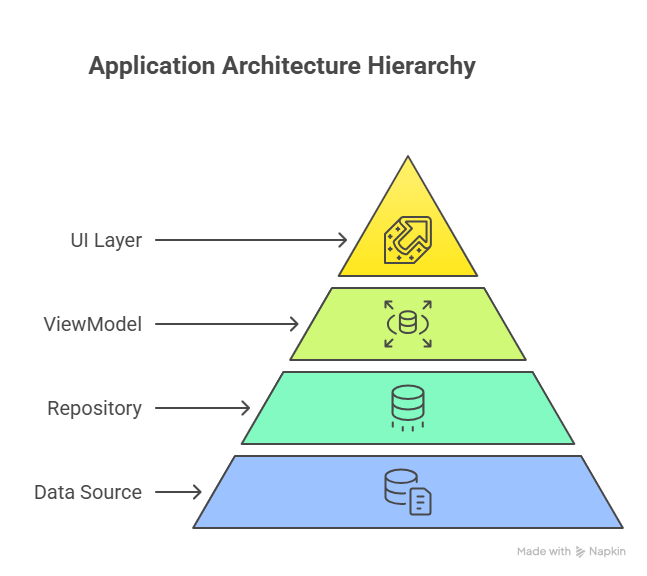
This separation prevents most beginner errors.
Infographic description
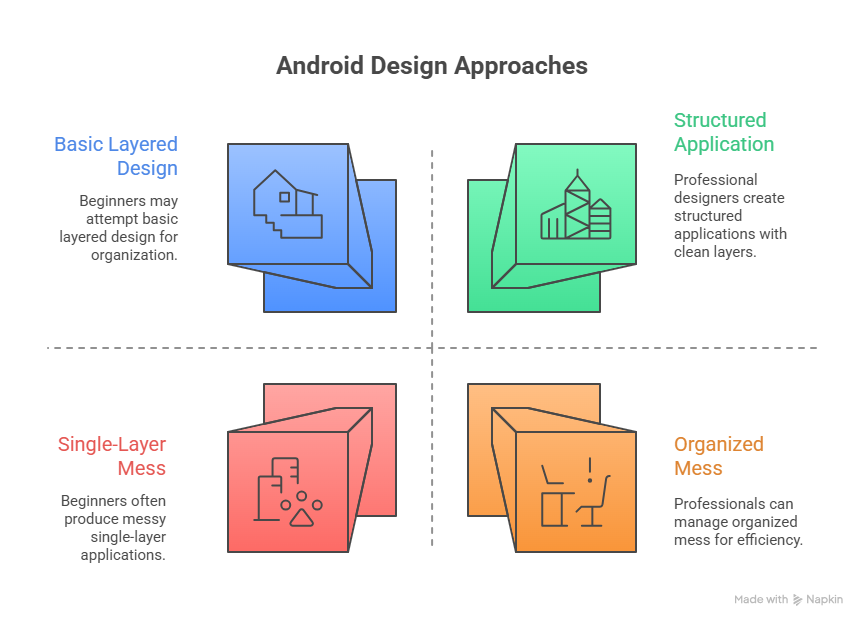
This shows the difference between unstable and reliable apps.
How developers grow beyond beginner mistakes
As developers gain experience, they learn to think about architecture, performance, and user experience together. They test on different devices, simulate poor network conditions, and review their own code critically.
CuriosityTech encourages this mindset by using real-world projects instead of just small examples.
Conclusion
Mistakes are part of the learning journey, but understanding them is what creates strong developers. By avoiding common pitfalls, Android developers build apps that are stable, scalable, and professional.
Day 22 helps learners move from trial and error to confident development.