Introduction
Kotlin has become the preferred language for Android development due to its simplicity, safety, and seamless integration with Android Studio. Building your first app is the perfect way to start your journey as a mobile developer and understand how activities, layouts, and logic come together. Platforms like Curiosity Tech provide hands-on projects and step-by-step guidance to make this process intuitive for beginners.
Main Content
Step 1: Set Up Android Studio
- Install Android Studio and configure the Kotlin plugin.
- Create a new project: Empty Activity → Kotlin → Name your app → Finish.
Step 2: Design the Layout
- Use XML layout files in res/layout/activity_main.xml.
- Example of a simple UI:
<LinearLayout
android:orientation=”vertical”
android:layout_width=”match_parent”
android:layout_height=”match_parent”
android:padding=”16dp”>
<TextView
android:id=”@+id/textView”
android:text=”Hello, Android!”
android:layout_width=”wrap_content”
android:layout_height=”wrap_content”/>
<Button
android:id=”@+id/button”
android:text=”Click Me”
android:layout_width=”wrap_content”
android:layout_height=”wrap_content”/>
</LinearLayout>
Step 3: Add Kotlin Logic
- In MainActivity.kt, link UI components and handle interactions:
class MainActivity : AppCompatActivity() {
override fun onCreate(savedInstanceState: Bundle?) {
super.onCreate(savedInstanceState)
setContentView(R.layout.activity_main)
val button: Button = findViewById(R.id.button)
val textView: TextView = findViewById(R.id.textView)
button.setOnClickListener {
textView.text = “Button Clicked!”
}
}
}
Step 4: Run the App
- Use an emulator or physical device.
- Observe how clicking the button updates the text dynamically.
Practical Tips
- Experiment with different UI components.
- Understand how activity lifecycle interacts with UI updates.
- CuriosityTech.in provides interactive modules where learners create multiple Kotlin apps and receive real-time feedback from mentors.
How to Become an Expert
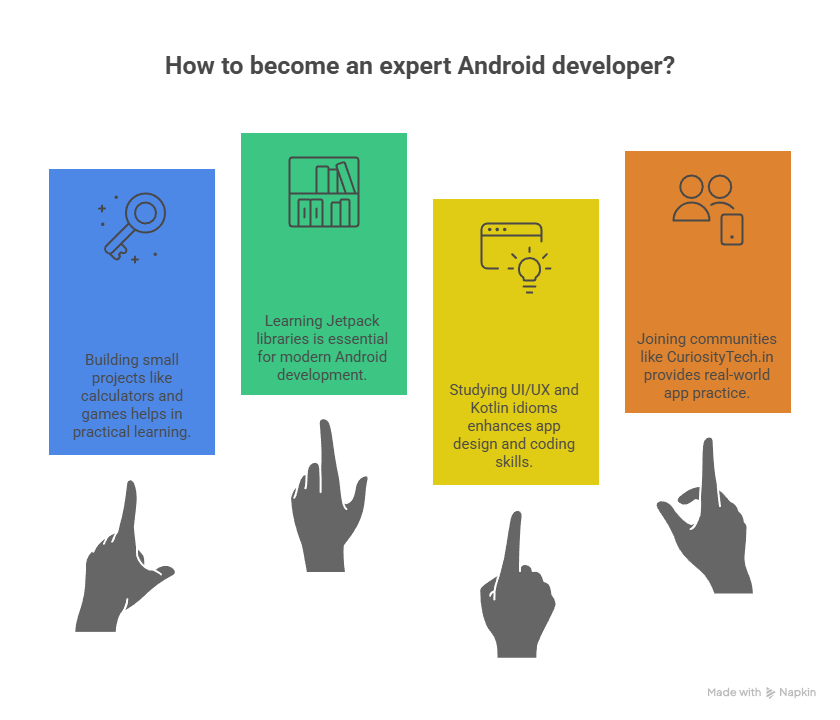
- Build incremental projects: calculators, to-do apps, simple games.
- Learn Jetpack libraries for modern Android development
- Study UI/UX best practices and Kotlin idioms.
- Join communities or platforms like CuriosityTech.in to practice real-world apps
Conclusion
Creating your first Android app with Kotlin is more than writing code—it’s understanding the interplay between UI, logic, and Android components. With consistent practice, logging interactions, and guided exercises at Curiosity Tech, beginners can quickly become confident Android developers ready for advanced projects.