

Introduction
Every professional Android developer eventually realizes that coding is only half the job; the other half is testing. A poorly tested app may crash at launch, misbehave on different devices, or consume excessive resources—leading to uninstalls and bad reviews.
At CuriosityTech.in (Nagpur, Wardha Road, Gajanan Nagar), our mentors emphasize: “If you don’t test your code, your users will.” That’s why we introduce learners to JUnit (unit testing framework) and Espresso (UI testing framework) early in their Android journey.
This article presents a deep, research-style breakdown of Android testing with JUnit & Espresso—structured, practical, and humanized.
The Role of Testing in Android Development
- Reliability: Ensures features work across multiple devices/OS versions.
- Maintainability: Safeguards future changes from breaking existing code.
- Performance: Detects regressions before release.
- User Trust: Increases ratings, reduces churn.
Types of Android Testing – The Testing Pyramid
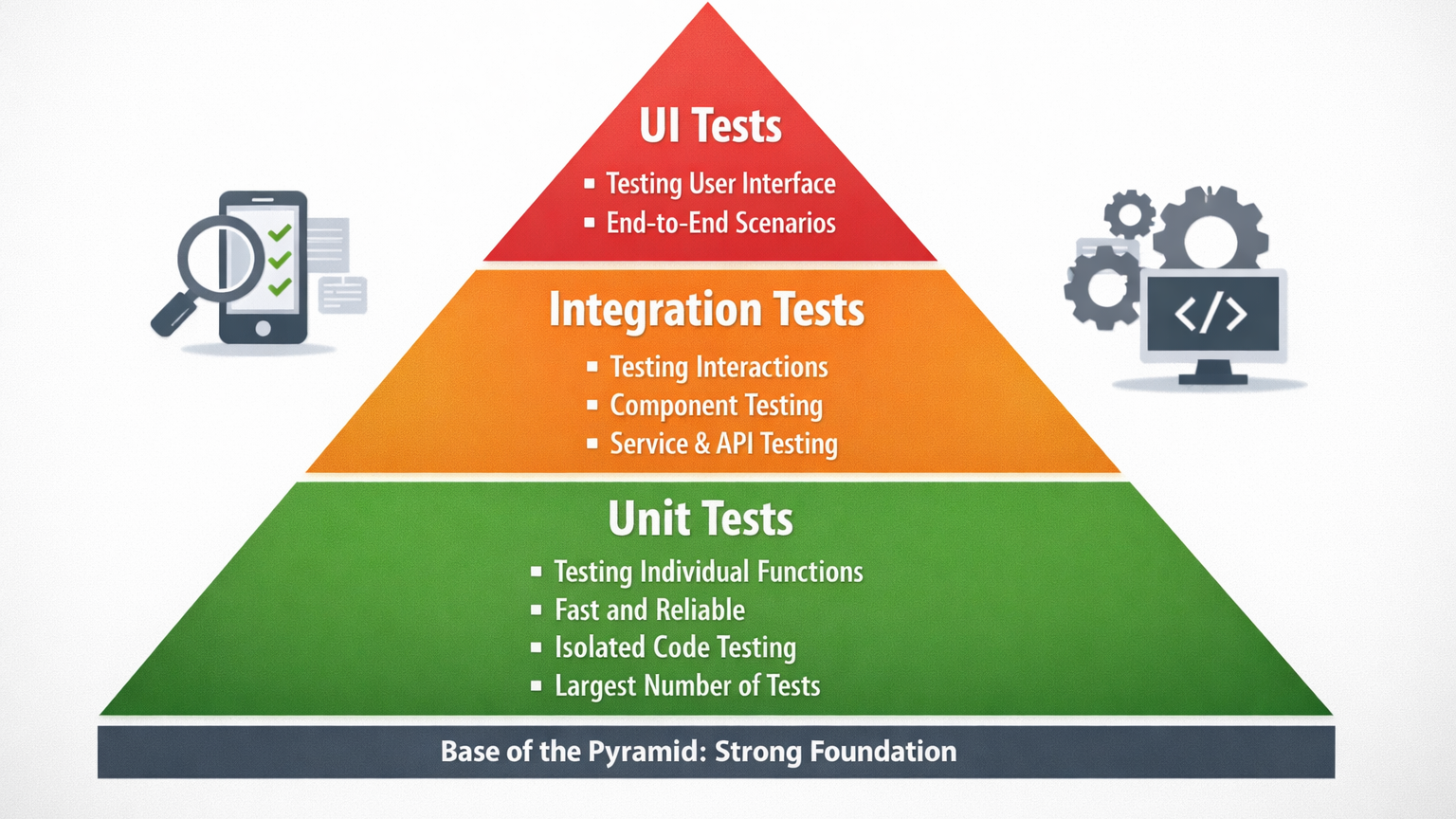
Interpretation:
- Unit Tests (JUnit): Fast, focused on small functions.
- Integration Tests: Ensure modules work together.
- UI Tests (Espresso): Validate real user interactions.
JUnit in Android – Unit Testing Framework
JUnit is the foundation of Android testing.
Example: Testing a Calculator Method
public class Calculator {
public int add(int a, int b) {
return a + b;
}
}
public class CalculatorTest {
@Test
public void testAddition() {
Calculator calc = new Calculator();
assertEquals(5, calc.add(2, 3));
}
}
- Runs quickly without emulator/device.
- Validates logic only, not UI or integration.
Espresso in Android – UI Testing Framework
Espresso allows you to simulate real user actions on UI components.
Example: Checking Login Button
@Test
public void testLoginButton() {
onView(withId(R.id.username)).perform(typeText(“testuser”));
onView(withId(R.id.password)).perform(typeText(“password”));
onView(withId(R.id.loginButton)).perform(click());
onView(withText(“Welcome”)).check(matches(isDisplayed()));
}
- Runs on emulator/device.
- Validates UI flow like button clicks, text inputs, navigation.
Comparison: JUnit vs Espresso
| Feature | JUnit (Unit Tests) | Espresso (UI Tests) |
| Scope | Tests methods & classes | Tests UI flows |
| Speed | Very fast (no emulator) | Slower (needs device/emulator) |
| Focus | Logic validation | User interaction validation |
| Dependencies | Runs in JVM only | Needs Android Framework |
| Best For | Core functions (e.g., math, API parsing) | End-to-end UI validation |
Best Practices in Android Testing
| Practice | Why It Matters | Implementation |
| Follow Testing Pyramid | Balance speed vs coverage | 70% JUnit, 20% integration, 10% UI |
| Use Mocking | Simulates APIs without real calls | Mockito library |
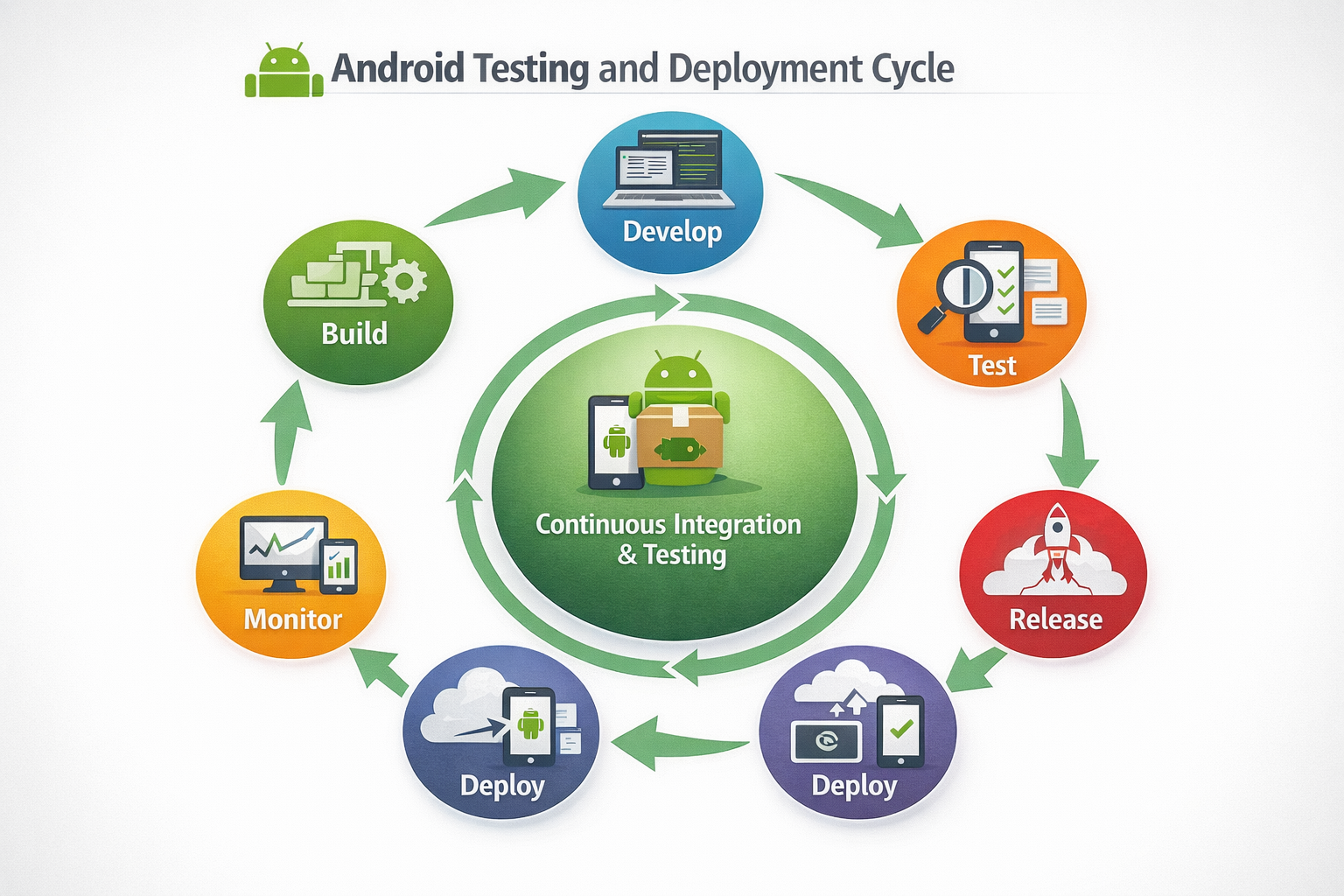
| Automate Tests | Saves time in large projects | Integrate with CI/CD pipelines |
| Write Descriptive Test Names | Easier debugging | testLogin_withValidCredentials_shouldPass() |
| Run Tests Early | Detects bugs before QA | Execute pre-commit |
Diagram – Integration of Testing in CI/CD
Real-World Example – Banking App Case Study
At CuriosityTech.in, one of our student projects was a mobile banking app. Early testing with JUnit revealed calculation bugs in EMI formulas. Later, Espresso UI tests caught a login issue where the keyboard overlay blocked the login button.
Without automated testing, these would have reached production, potentially costing real users money and trust.
How to Become an Expert in Android Testing
- Master JUnit basics before UI testing.
- Move to Espresso for validating UI workflows.
- Learn mocking & dependency injection to isolate modules.
- Set up CI/CD pipelines (GitHub Actions, Jenkins) to automate test execution.
- Build real-world projects: At CuriosityTech, learners simulate e-commerce or chat apps, writing test suites to validate cart logic, payment workflows, and chat delivery.
Conclusion
Testing is not an afterthought—it’s a core responsibility of every Android developer. JUnit ensures your logic is sound; Espresso ensures your UI works as intended. Together, they form the safety net that separates amateurs from professionals.
https://curiositytech.in/If you want to master Android testing and practice on real-world applications, check out CuriosityTech.in or connect with us via contact@curiositytech.in, +91-9860555369, or our communities on LinkedIn, Facebook, and Instagram (curiositytechpark). Our structured programs in Nagpur prepare developers to ship apps with confidence—not just with code, but with quality assurance baked in.