

Introduction
A fitness tracker is one of the most demanding types of mobile applications. It must record data accurately, work smoothly in the background, display meaningful insights, and protect user privacy. This makes it a perfect real-world case study for learning professional iOS development.
In this Day 20 case study, we look at how a complete fitness tracking app is designed and built from scratch using modern iOS technologies. This type of project is similar to what students at CuriosityTech work on when training through curiositytech.in, where the focus is always on practical, job-ready skills.
Understanding the goal of the app
The fitness tracker allows users to
Track daily steps and activity
Log workouts
Monitor calories burned
View progress over time
Store data securely
This requires a combination of sensors, UI design, data management, and performance optimization.
App architecture for the fitness tracker
The app uses MVVM architecture so that data, logic, and UI remain cleanly separated.
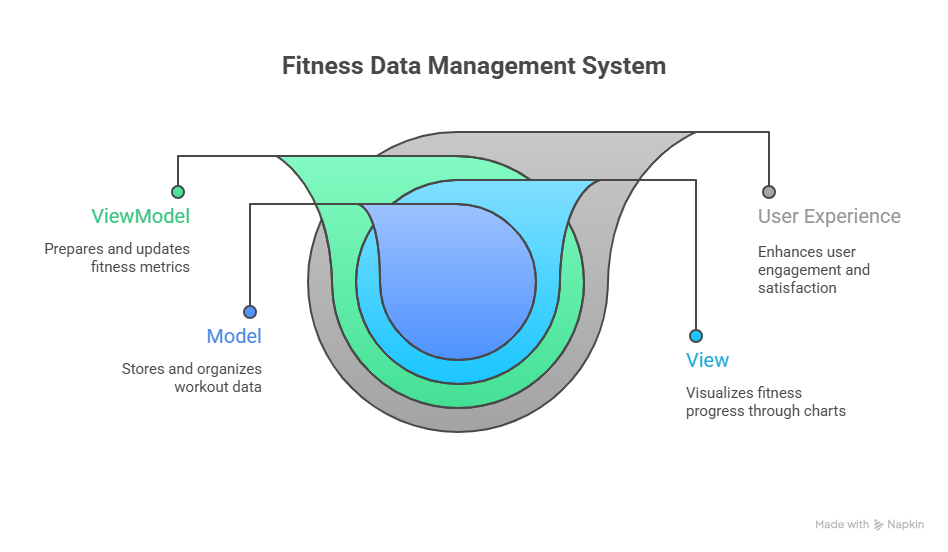
This ensures the app is stable and easy to improve.
Data flow inside the app
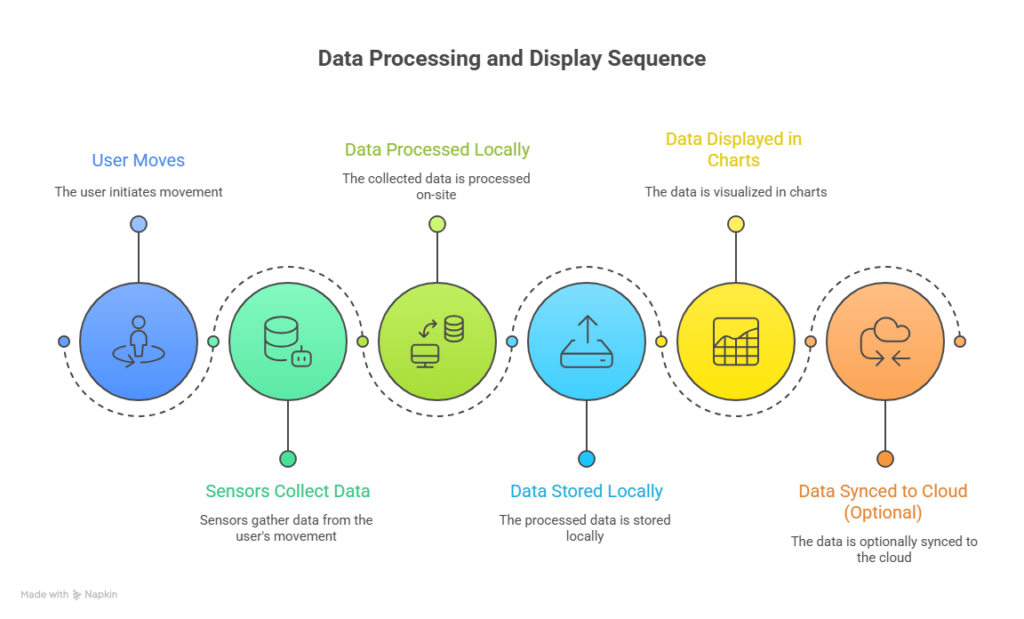
This continuous flow must be fast and reliable.
Table of main modules
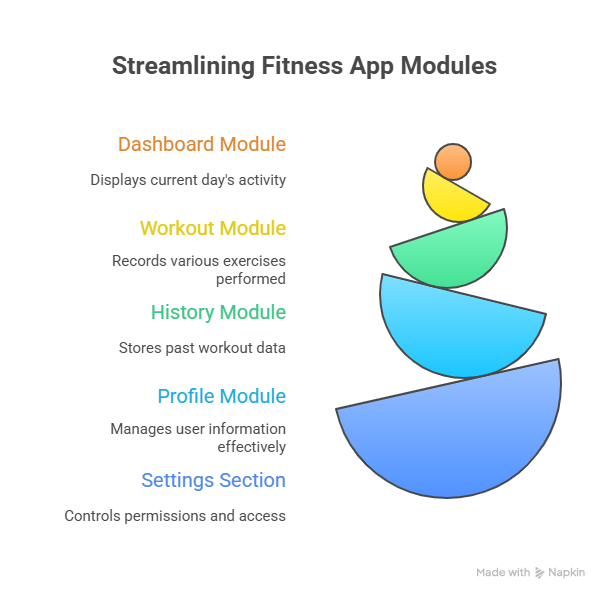
Each module works independently but shares data through the architecture.
User interface design
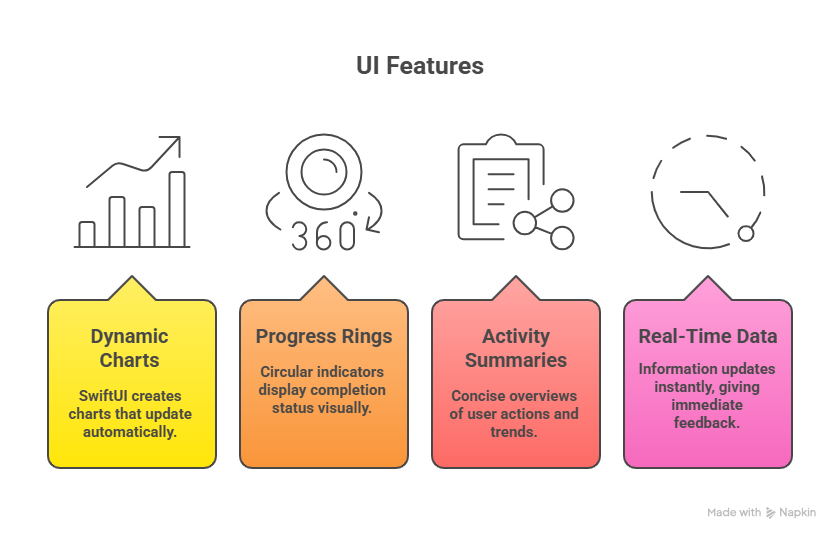
The UI uses SwiftUI to create responsive charts, progress rings, and activity summaries. Data updates in real time, giving users immediate feedback.
Hierarchical structure of the app
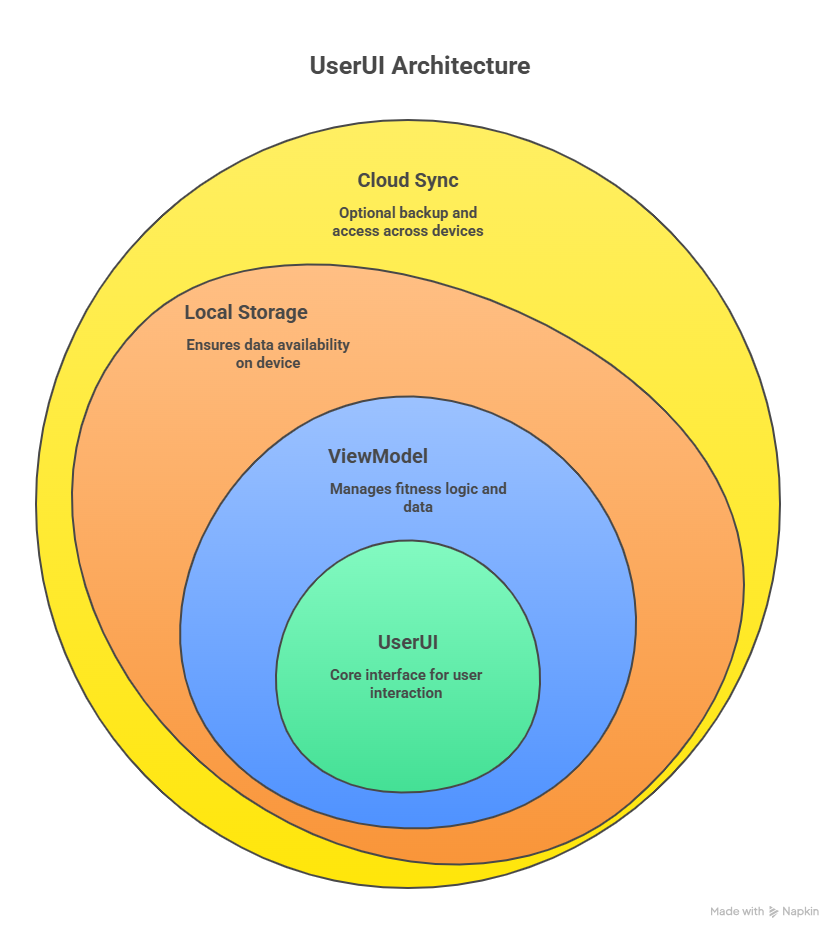
This layered design keeps everything organized.
Infographic description
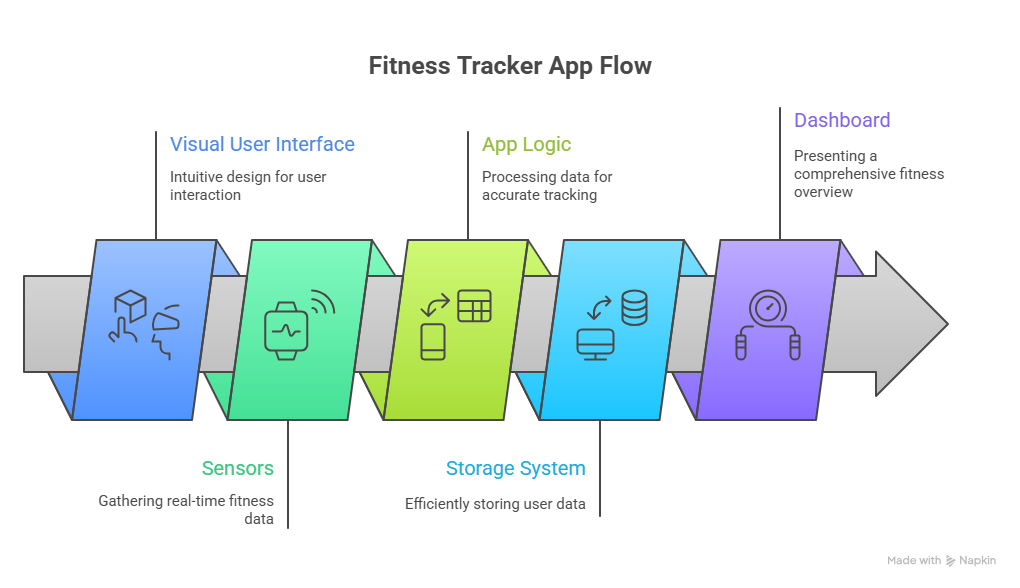
This shows how physical movement becomes digital data.
How developers become experts through case studies
Real projects teach far more than tutorials. Developers learn how to solve problems, optimize performance, and design for real users.
At CuriosityTech, case studies like this are used to prepare students for professional iOS development roles.
Conclusion
A fitness tracker combines every important iOS skill into one product. By building such an app, developers gain deep understanding of architecture, UI, data, and performance.
Day 20 represents real-world iOS engineering in action.

