
Introduction
A to-do application may look simple on the surface, but in reality it is one of the best ways to understand how professional mobile apps are built. It involves user input, data storage, synchronization, notifications, and clean user interface design. When built properly, a to-do app becomes a miniature version of a real productivity platform.
In cross-platform development, building the same to-do app using Flutter and React Native reveals how modern mobile frameworks work under the hood. At CuriosityTech, learners often start with this type of project because it combines architecture, UI, data handling, and performance into one clear real-world example.
Day 20 brings together everything learned so far into a practical, industry-style case study.
Defining the features
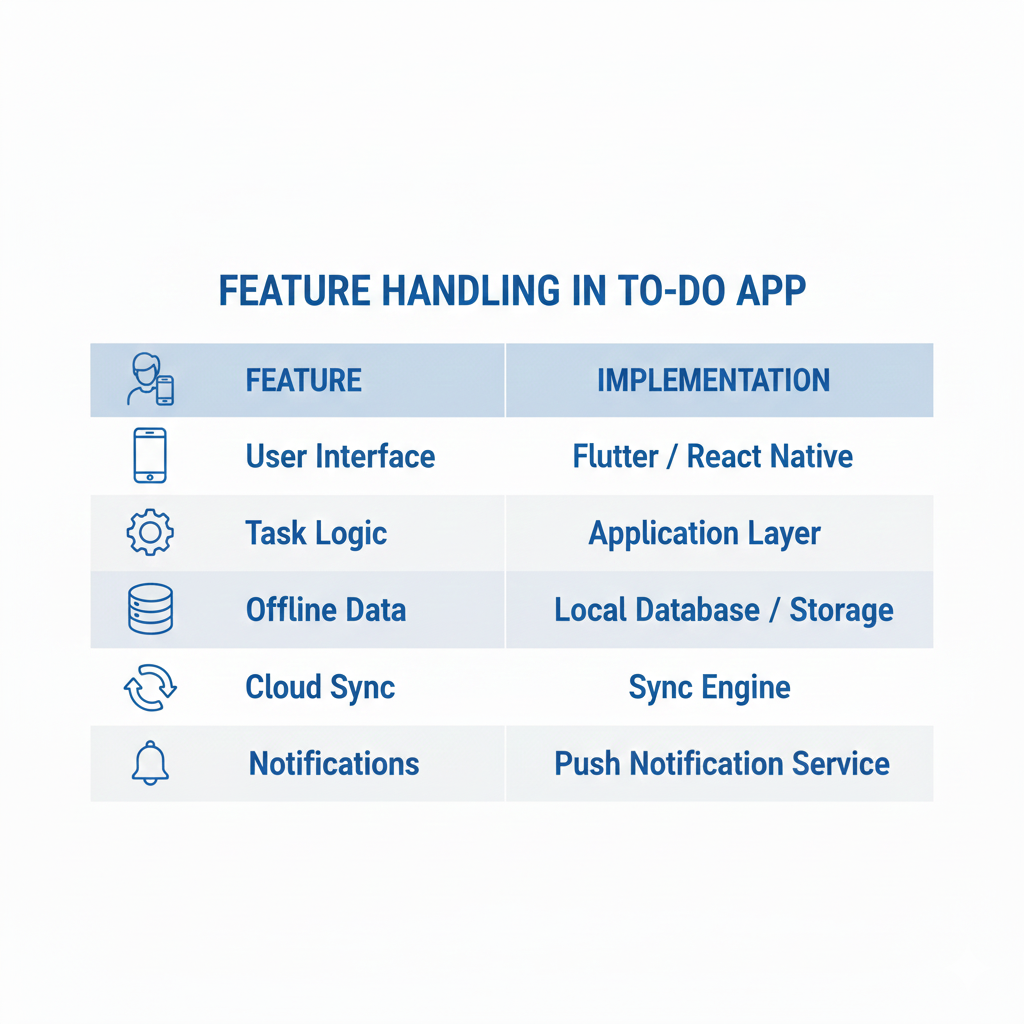
A professional to-do app is more than just a list. It includes user accounts, task categories, due dates, reminders, offline access, and synchronization across devices. Each of these features must be handled carefully to avoid data loss or performance issues.
Flutter and React Native both allow these features to be built from a single codebase, which reduces development cost while still delivering native-like performance.
Architecture of the to-do app
The app is divided into layers. The interface is built with Flutter widgets or React Native components. The business logic manages task creation, updates, and deletions. The data layer stores tasks locally and synchronizes them with the cloud.
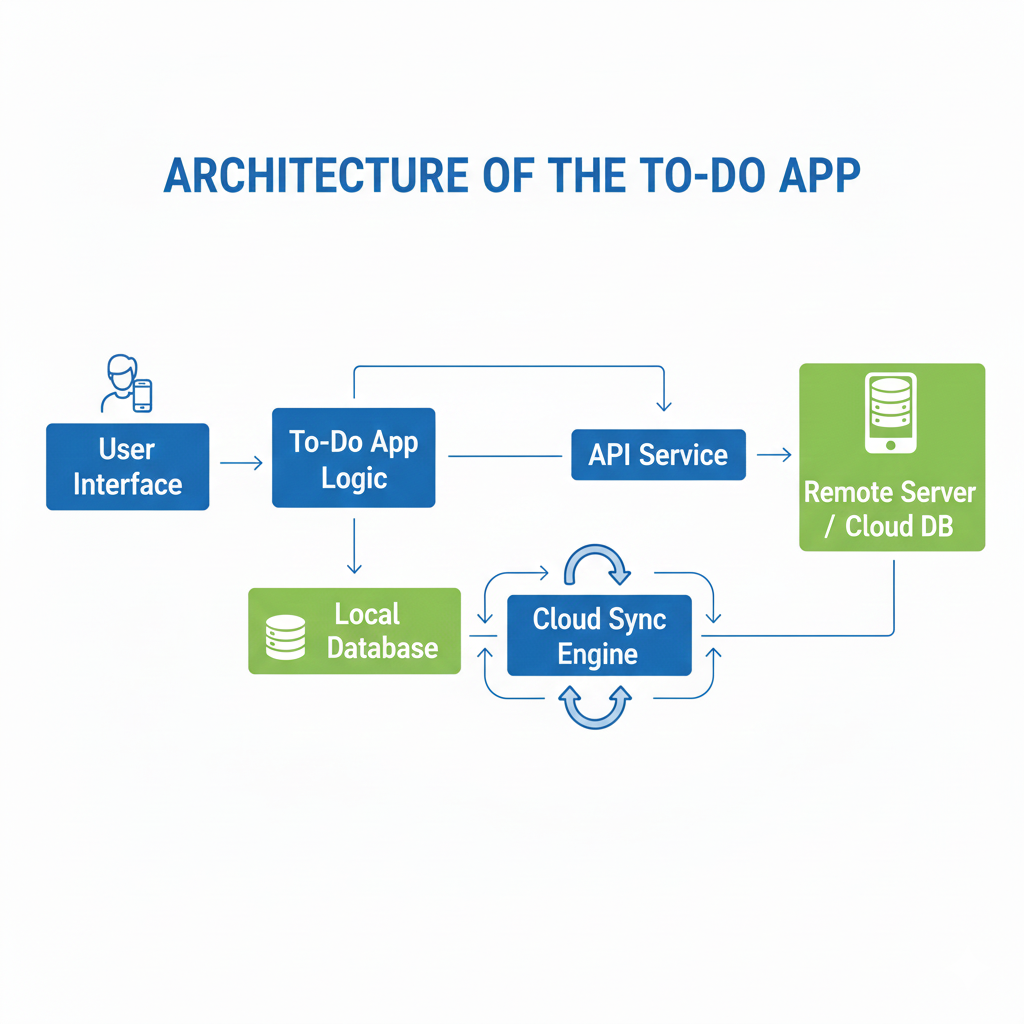
This layered design is the same approach used in large commercial applications and is what CuriosityTech teaches students so they can transition smoothly into professional projects.
Table showing how features are handled
Data flow in the to-do app
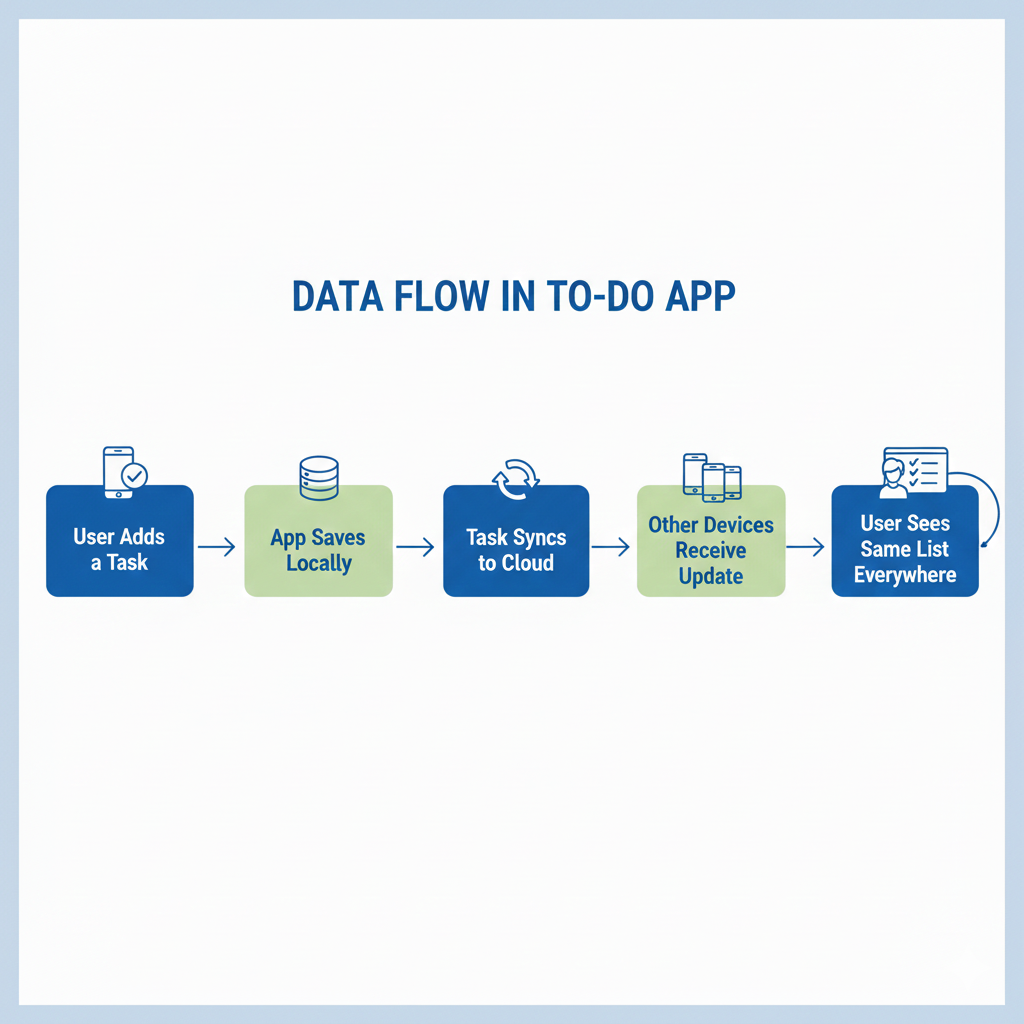
This ensures both speed and reliability.
Hierarchical view of the system
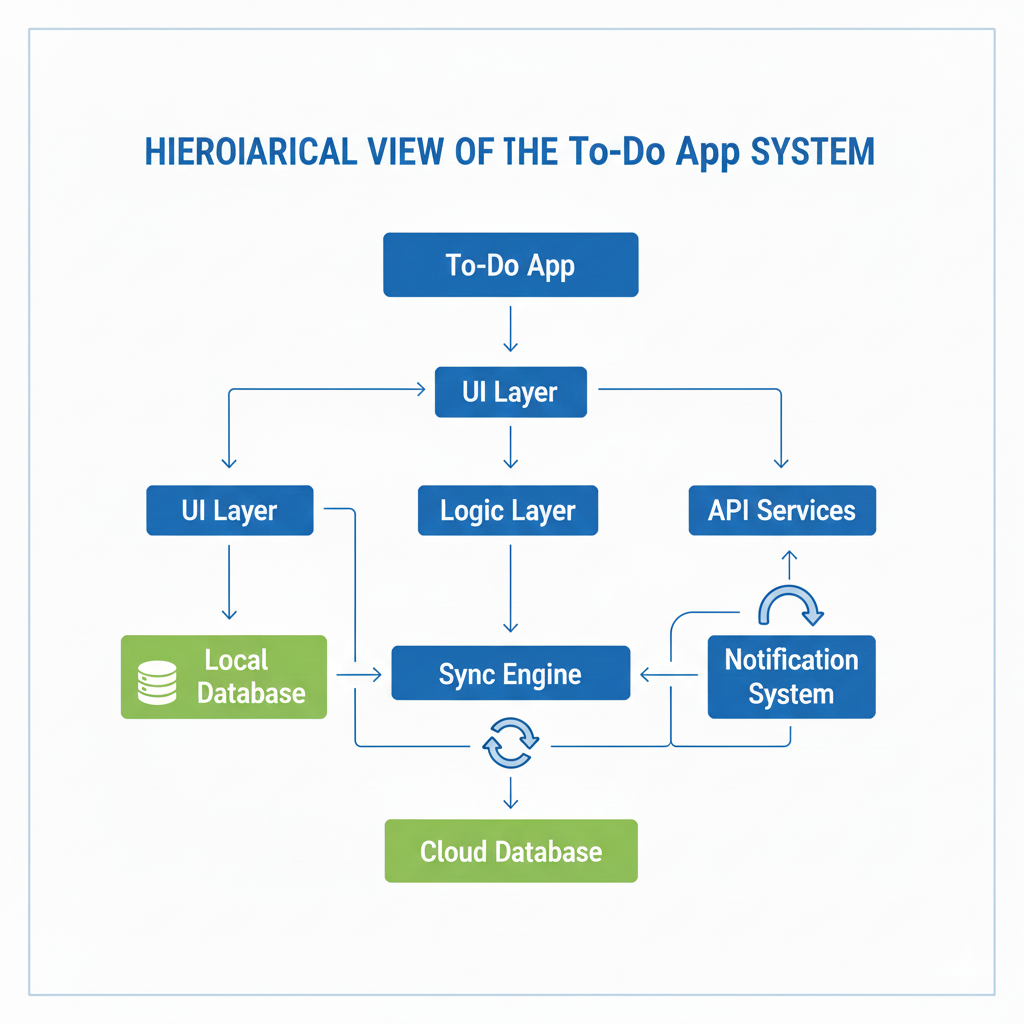
This structure allows the app to grow without becoming unstable.
Infographic description
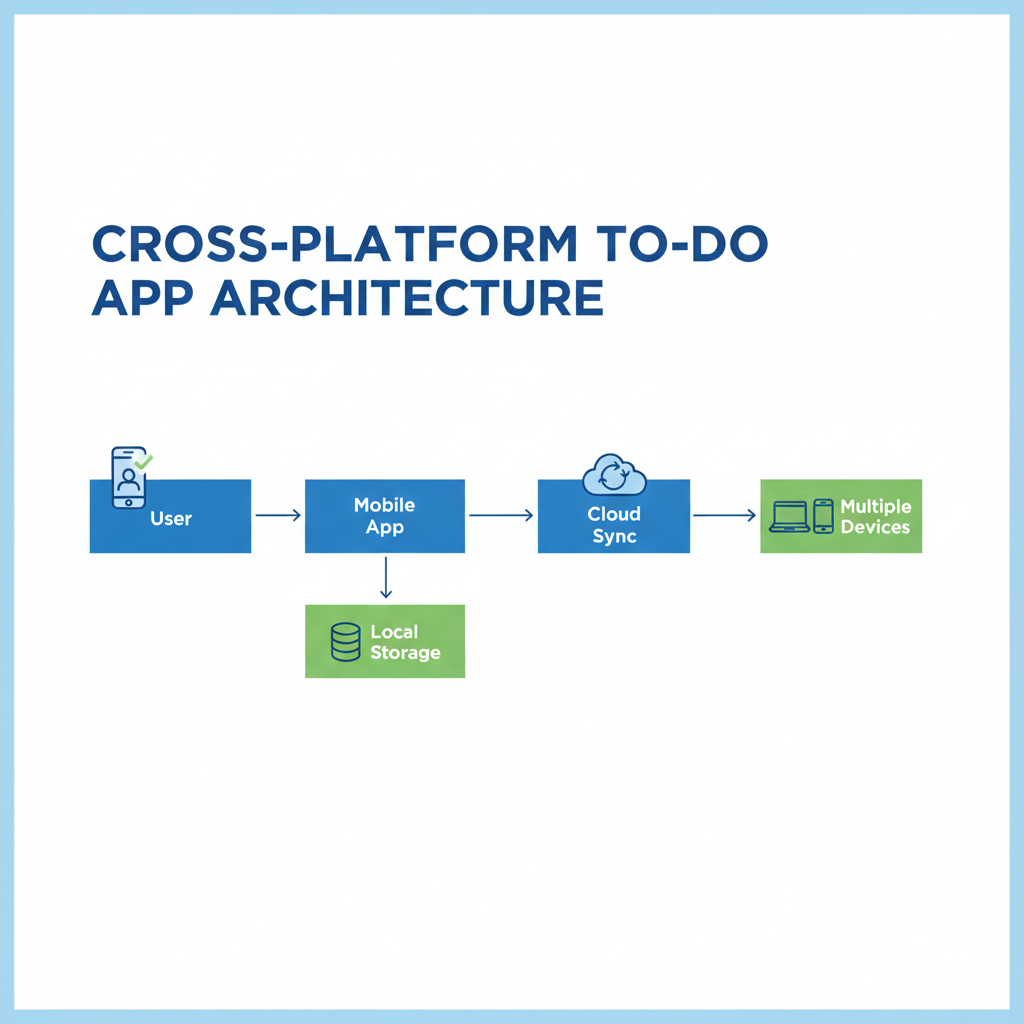
This shows how a single task appears everywhere.
How this case study builds expertise
By building a to-do app, developers learn how to handle user data, manage state, design clean interfaces, and synchronize information. These skills directly apply to enterprise applications, business tools, and consumer apps.
CuriosityTech uses such case studies to ensure students do not just understand theory, but can build products that feel professional.
Conclusion
The to-do app case study proves that Flutter and React Native are capable of building real-world applications. It brings together UI design, offline storage, cloud sync, and performance optimization into one complete system.
Day 20 marks the point where learners move from practice to professional-level development.

