Introduction
In my early years working with physical data centers, migration meant relocating servers. In cloud computing, migration means rethinking how applications live, scale, and recover. Day 20 is not about tools. It’s about judgment.
At CuriosityTech, learners are taught to approach migration as consultants, not technicians— because every migration decision has long-term cost, performance, and security implications.
The On-Premises Reality
Typical legacy environments:
- Fixed capacity servers
- Manual scaling
- High capital expenditure
- Limited disaster recovery
The biggest challenge is not hardware, it’s architecture inertia.
Migration Strategy Framework (The 6 Rs)
| Strategy | Description | When to Use |
| Rehost | Lift and shift | Fast timelines |
| Replatform | Minor optimizations | Cost savings |
| Refactor | Cloud-native redesign | Long-term scale |
| Retire | Decommission | Redundant apps |
| Retain | Keep on-prem | Regulatory |
| Replace | SaaS adoption | Legacy complexity |
Case Study Scenario
Company Profile
- Mid-sized manufacturing firm
- ERP + customer portal
- 24/7 operations
- No disaster recovery
Phase 1: Discovery & Assessment
Key questions:
- Which apps are business-critical?
- What are peak usage times?
- What compliance rules apply?
Abstraction:
Discovery is like medical diagnostics—treating without diagnosis causes more harm than good.
Phase 2: Architecture Mapping
Mapping on-prem components to AWS:
- Web servers → EC2 behind ALB
- Database → RDS Multi-AZ
- Storage → S3 + lifecycle rules
- Identity → IAM
Architecture Diagram Description:
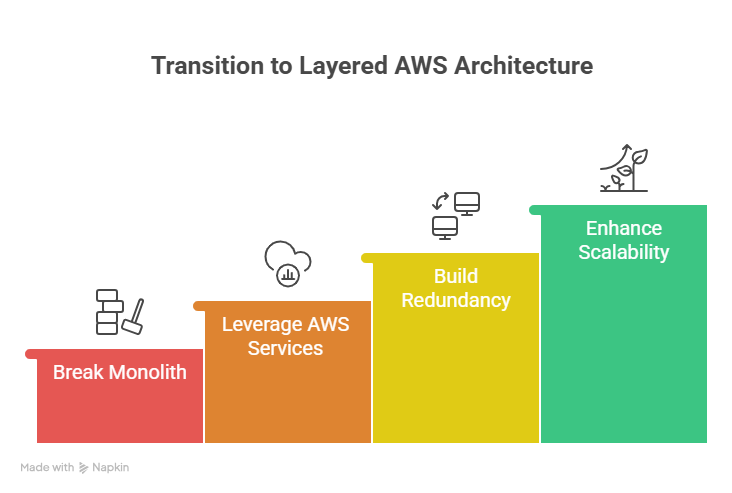
On-prem monolith transitioning into layered AWS architecture with redundancy.
Phase 3: Migration Execution
- Non-critical apps migrated first
- Data synchronization tested
- Rollback plans validated
Engineers trained at CuriosityTech are taught to design rollback before deployment, a habit that saves careers.
Phase 4: Optimization & Modernization
Post-migration improvements:
- Auto Scaling
- Cost optimization
- Monitoring integration
Results
- 42% cost reduction
- Zero unplanned downtime
- Improved deployment velocity
Conclusion
Successful migration is not about moving fast—it’s about moving correctly.AWS enables transformation, but expertise determines outcome.